Account Security
Change your password or delete your account from Password & security.
Opening Password & security
- Open Profile (on a phone: More, then your name).
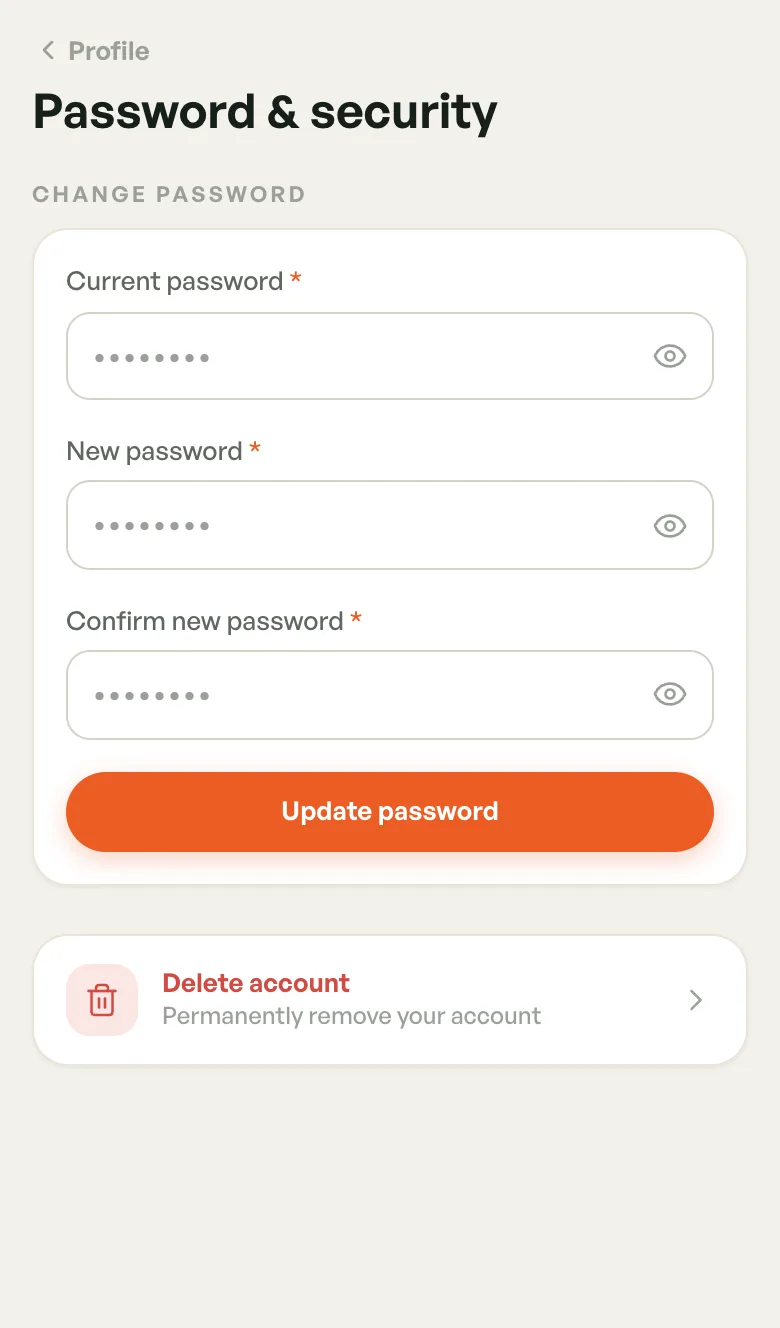
- Tap Password & security.
Changing your password
- Enter your Current password.
- Enter a New password, then type it again in Confirm new password.
- Tap Update password.
Tap the eye icon in a field to show or hide what you typed.
Your new password must:
- have at least 8 characters
- include an uppercase letter, a lowercase letter, a number and a special character
- be different from your current password
When it's saved you see Password updated successfully and you're signed out. Sign in again with the new password.
You have no BookMyCourt password, so the change-password form isn't shown. Only Delete account is there. Manage your password with Google or Apple.
Forgotten your password
- On the sign-in screen, tap Forgot? next to the password field.
- Enter your account email and tap Send reset code.
- Enter the 6-digit code from the email and set a new password.
Deleting your account
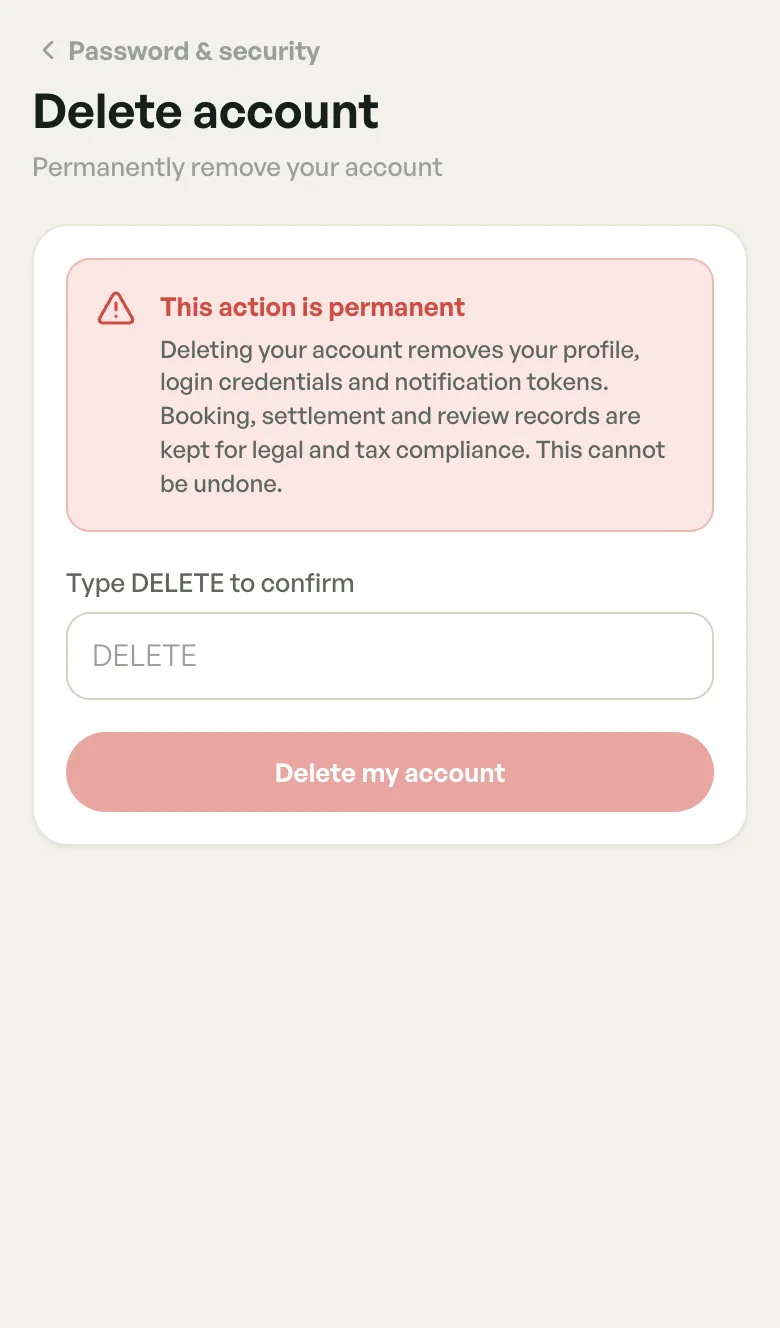
- On Password & security, tap Delete account.
- Type DELETE in the box.
- Tap Delete my account.
Deleting removes your profile, sign-in details and notification tokens, and signs you out. Booking, settlement and review records are kept for legal and tax compliance. It can't be undone.
The app doesn't stop an owner from deleting while bookings are still coming up. Cancel or finish them first so players aren't left with bookings at a venue with no owner.
Coaches can't delete while they have upcoming or in-progress sessions. The screen says You have upcoming sessions and offers View upcoming sessions.
Logging out
Tap Log out at the bottom of Profile and confirm. See Profile & Settings.