Notifications
The app tells you about new bookings, changes, payments and coach requests at your venues.
Opening notifications
Tap the bell at the top right of any main screen. A red number on the bell counts what you haven't read yet.
On desktop, the bell sits next to your name at the bottom of the sidebar.
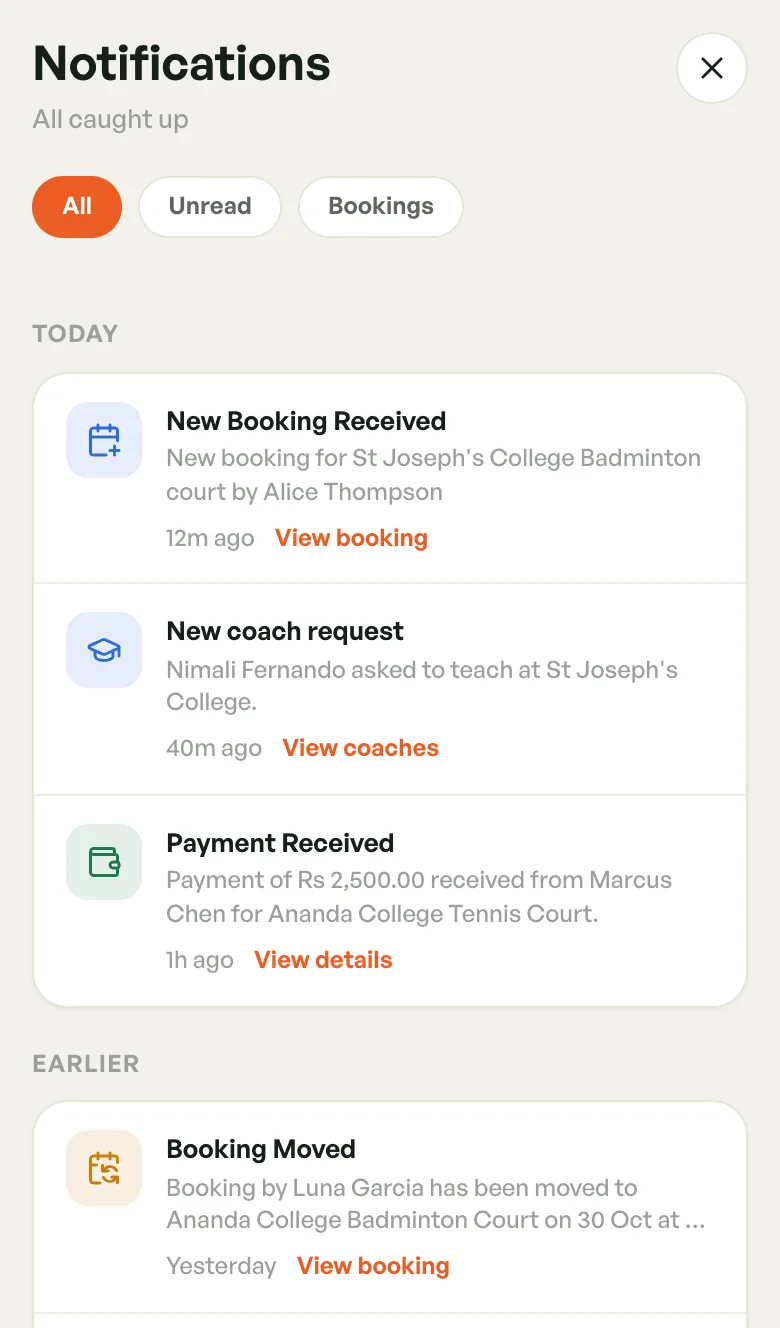
On a phone, notifications open full screen. Tap the X at the top right to go back.
Reading the list
Under the title you see how many are unread, or All caught up.
Three tabs filter the list:
- All — everything.
- Unread — only what you haven't opened. Its count shows on the tab.
- Bookings — booking and coach-session notifications only.
Notifications are grouped under Today and Earlier. An unread one has a tinted background and an orange dot.
Scroll down to load older ones. On a phone, pull down to refresh.
Opening one
Tap a notification to mark it read and jump to what it's about. The link under it tells you where it goes:
- View booking — new, cancelled, moved and reminder notifications open the booking.
- View details — a payment received notification opens the booking it paid for.
- View coaches — a coach request, or a coach accepting or declining your invite, opens that facility's Coaches screen.
- View facility — a facility publish approval or rejection opens the facility.
Notifications with no link, such as a failed payment or an announcement, are just marked read.
To clear the count in one go, tap the double-tick button (desktop: Mark all read). It only shows while something is unread.
Push notifications
The phone app and the web app can also send push notifications. Allow notifications when the app asks.
Tapping a push opens the same screen as tapping it in the list, and marks it read. This works whether the app was in the background or closed.
What you're notified about
As an owner or staff member, you hear about:
- new bookings at your venues
- bookings that are cancelled or moved
- payments received or failed
- coaches who ask to teach at your venue, answer your invite, or add your venue when it's open to any coach (owners)
- your facility being approved or rejected for publishing (owners)
- messages from BookMyCourt
Coaches are notified about their sessions, venue invites and profile approval. See Your Coach Account.