Managing Facilities
Your venues live under Facilities. You can run more than one.
Owners only
Facilities and Settlements are visible to facility owners. Employee accounts see Dashboard, Bookings, Notifications and Profile only.
Finding It
On desktop, Facilities is in the left sidebar. On mobile, it's in the bottom dock.
The Facilities List
Each venue shows its name, address, court count and whether it's active. Tap one to open its detail page.
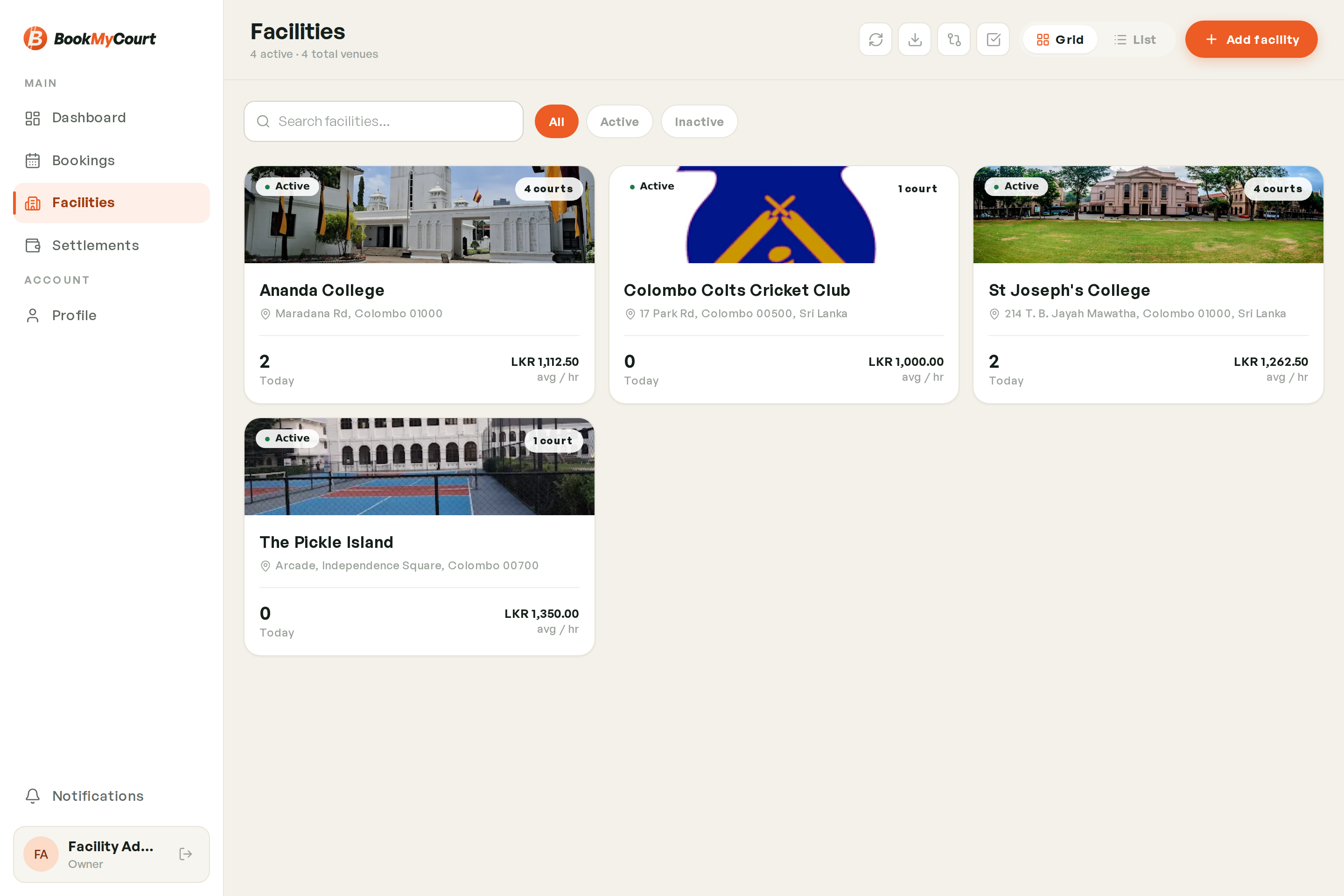
From this screen you can also:
- Add a facility — see Creating a Facility
- Compare facilities — see Comparing Facilities
Facility Information
A facility holds:
- Name and street address
- Phone number and email address
- Photos shown to players in the app
- Courts — see Managing Courts
- Operating hours — see Operating Hours
- Coach booking policy — see Coaches at Your Venue
Updating A Facility
- Open the facility
- Tap Edit
- Change what you need
- Save
Changes are live for players immediately.
Running Several Venues
There's no limit on how many facilities one owner account can hold. Bookings, courts and hours are all per-facility, and your settlement splits earnings by venue when you have more than one.