Operating Hours
Manage hours is where you set when your venue is open, its peak hours and any closures.
Opening It
- Tap Facilities in the bottom bar and open the venue
- Scroll to Operating hours
- Tap Manage
Hours are set per venue. Every court at the venue uses the same hours.
The Week At A Glance
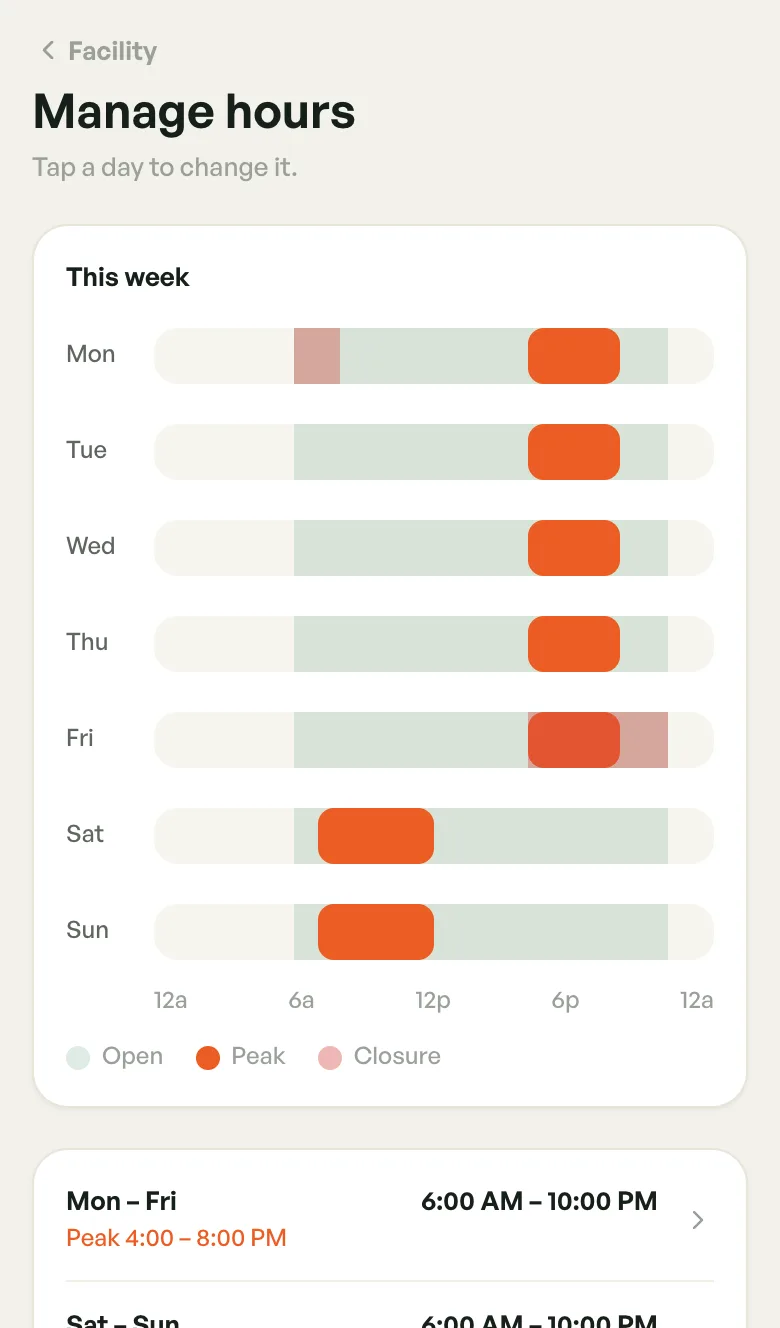
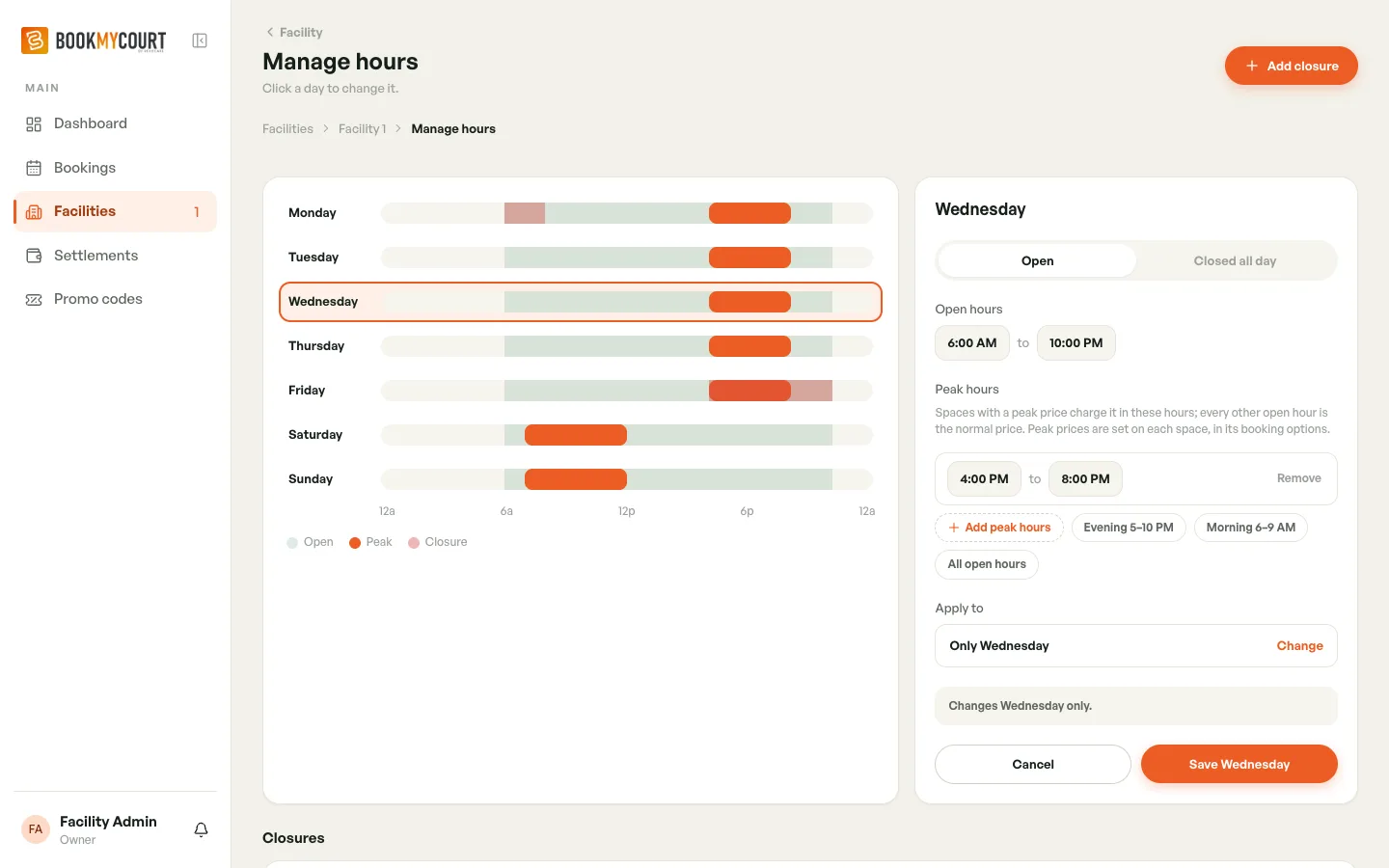
This week shows one bar per day, from midnight to midnight:
- Open — light green, the hours you're open
- Peak — orange, your peak hours
- Closure — pink, closures that fall this week
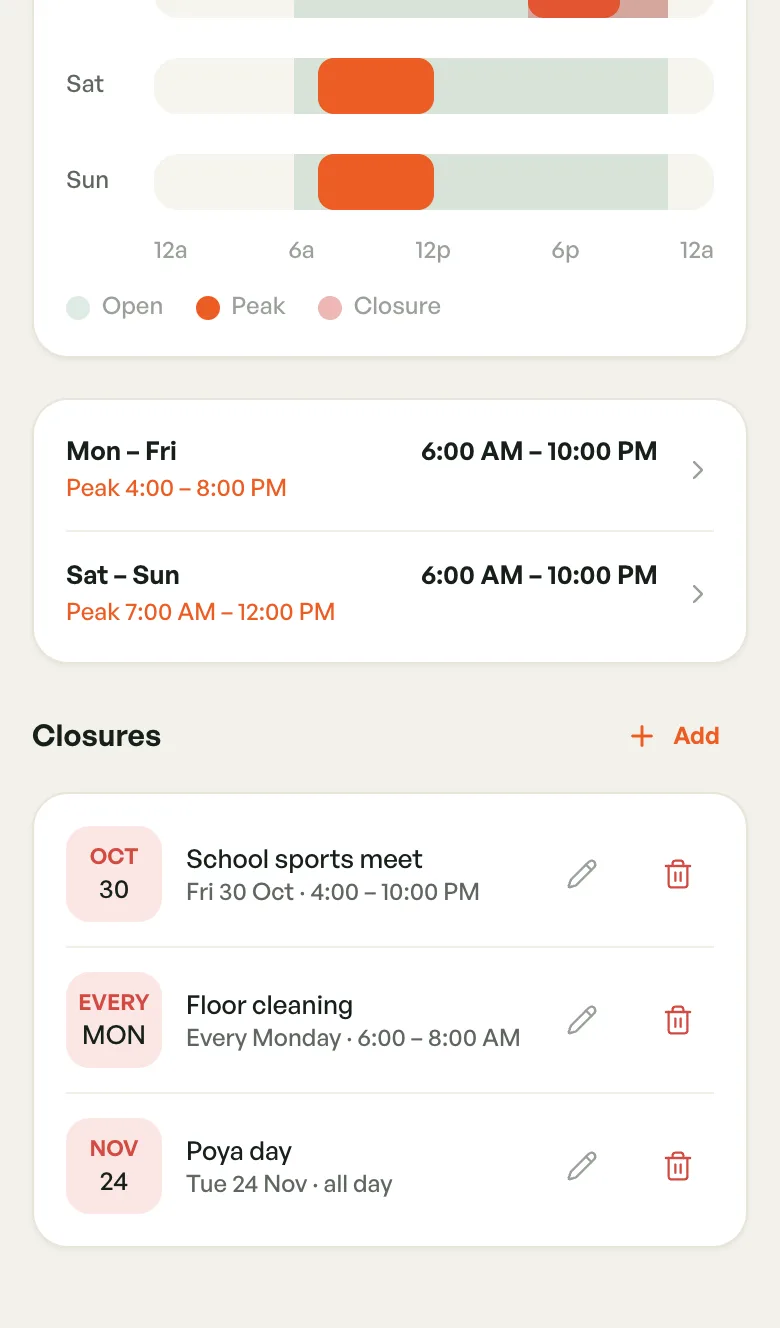
Below it, days with the same hours are grouped, for example Mon – Fri 6:00 AM – 10:00 PM, with the peak hours underneath. A day you don't open says Closed.
Changing A Day's Hours
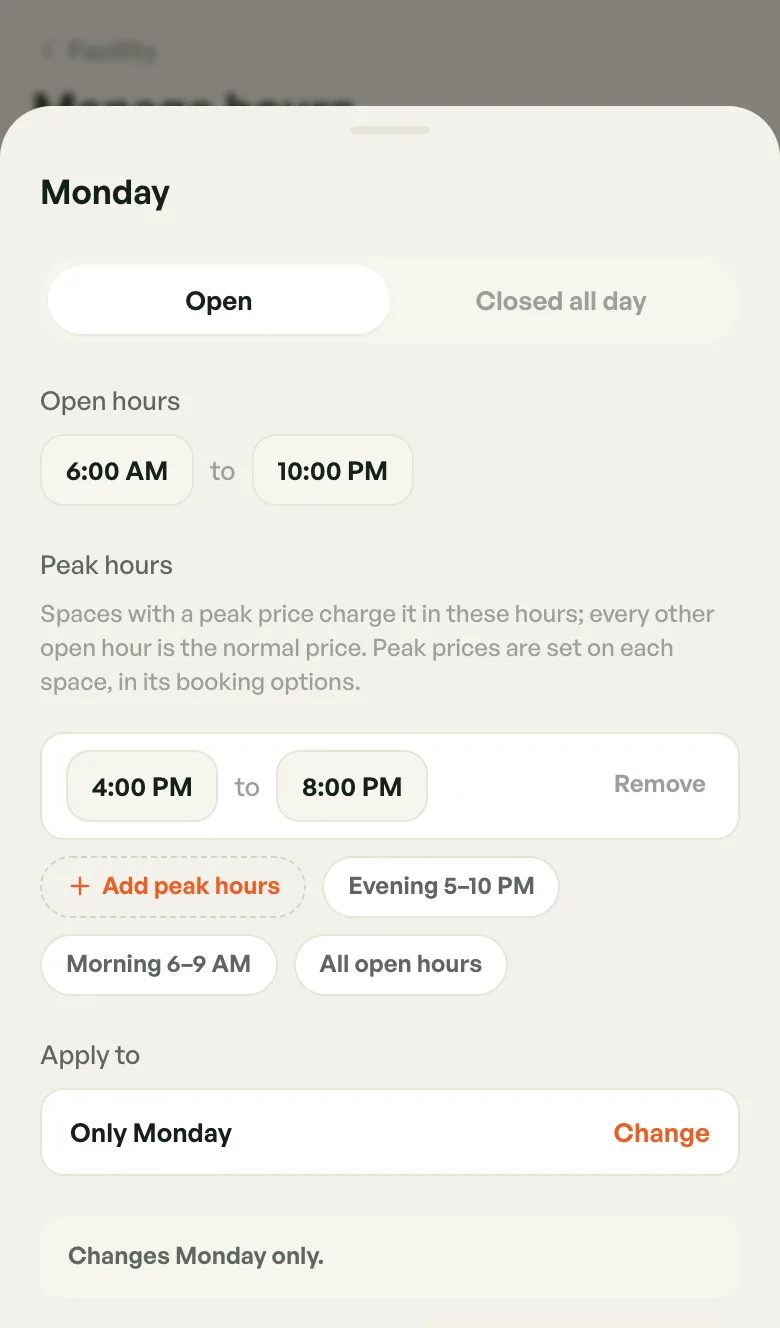
- Tap a day, either its bar or a grouped row
- Choose Open or Closed all day
- Tap the opening time, then the closing time, to change them
- Tap Save Monday (the button names the day, or reads Close Monday if you chose Closed all day)
The editor changes only the day you tapped. A grey line above the buttons confirms it, for example Changes Monday only.
If you close and leave without saving, the app asks before throwing your changes away.
Changing Several Days At Once
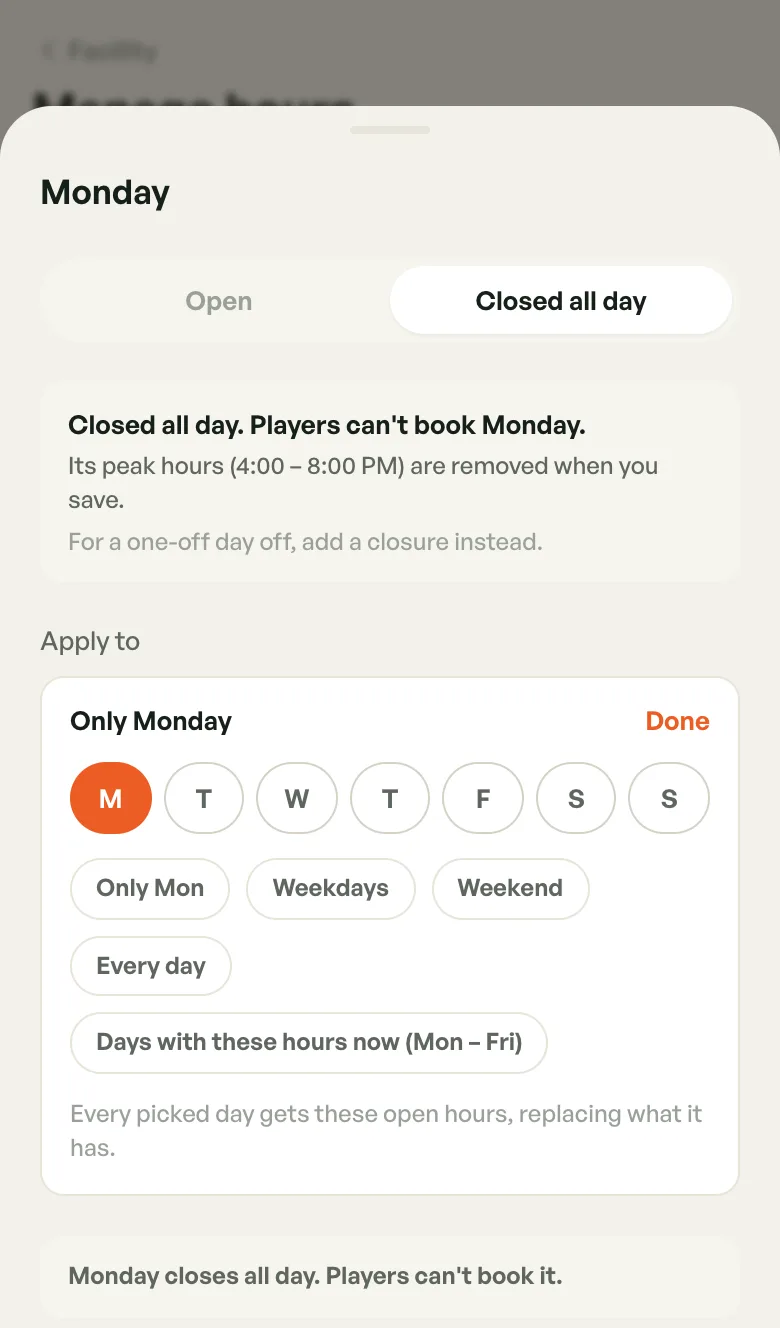
- Under Apply to, tap Change
- Tap days to pick them, or use Weekdays, Weekend or Every day. Days with these hours now appears when other days already share this day's hours.
- Check the summary. It lists what changes on each other day you picked.
- Tap Save (for example Save Mon – Fri)
Every day you pick gets these hours, replacing what it had.
Closing A Day Every Week
Choose Closed all day and tap Close Monday (the button names the day). Players can't book that day. If the day had peak hours, they're removed when you save.
For a one-off day off, such as a holiday, add a closure instead.
Peak Hours
Peak hours are the times your courts charge their peak price. Only owners can set them.
- Open a day
- Under Peak hours, tap Add peak hours, or a shortcut: Evening 5–10 PM, Morning 6–9 AM or All open hours
- Tap the start and end times to adjust them
- Tap Remove to delete a window
- Save
A day can have more than one peak window. Peak hours start and end on the hour, sit inside the open hours and don't overlap. If one breaks a rule, the app shows the problem, with a Fit to open hours or Merge them link where it can fix it for you.
Peak hours on their own don't change any prices. Each court also needs a peak price in its booking options — see Peak Prices. A court with no peak price charges its normal price all day.
Closures
A closure blocks bookings for a set time, for a holiday, maintenance or a regular slot. Players can't book those hours, and nor can you or your staff.
Adding A Closure
- Under Closures, tap Add (on desktop, Add closure at the top)
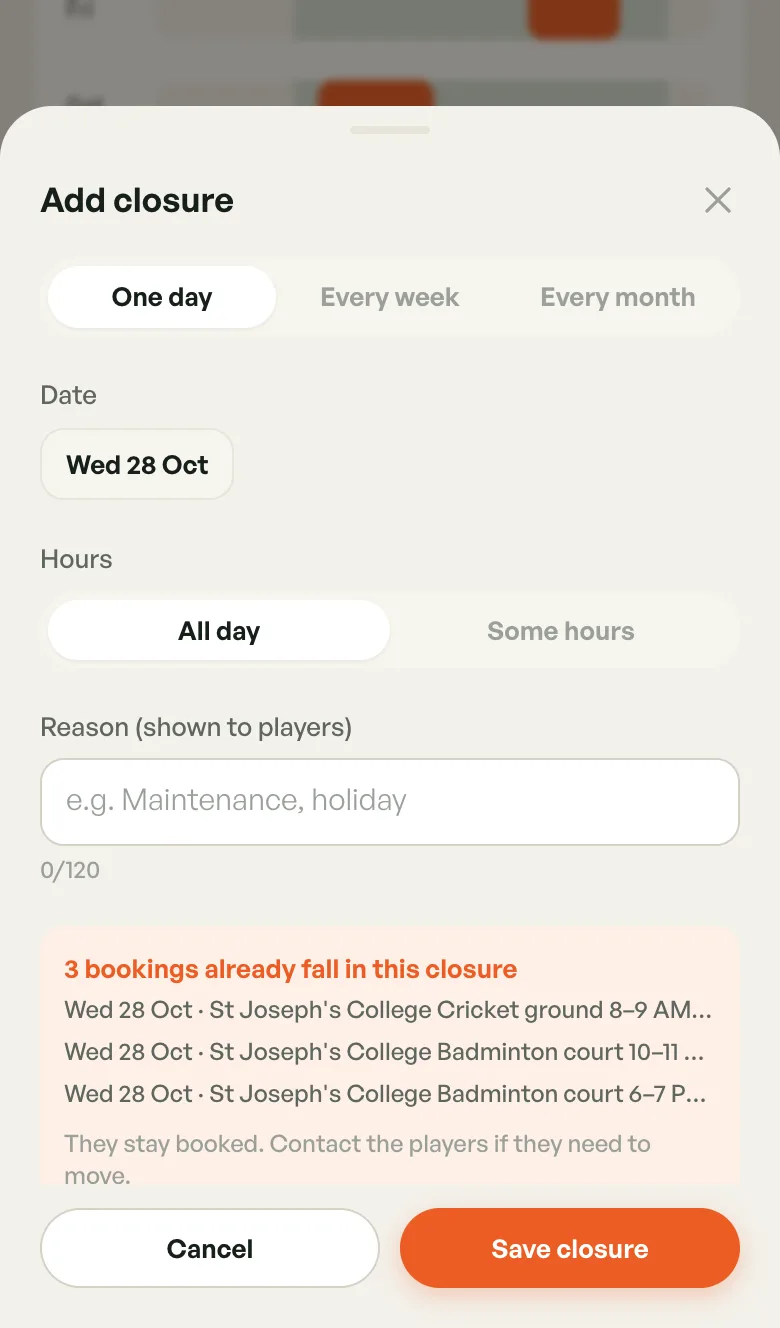
- Choose One day, Every week or Every month
- Pick the date, the day of the week, or the day of the month (Last day is the last day of every month)
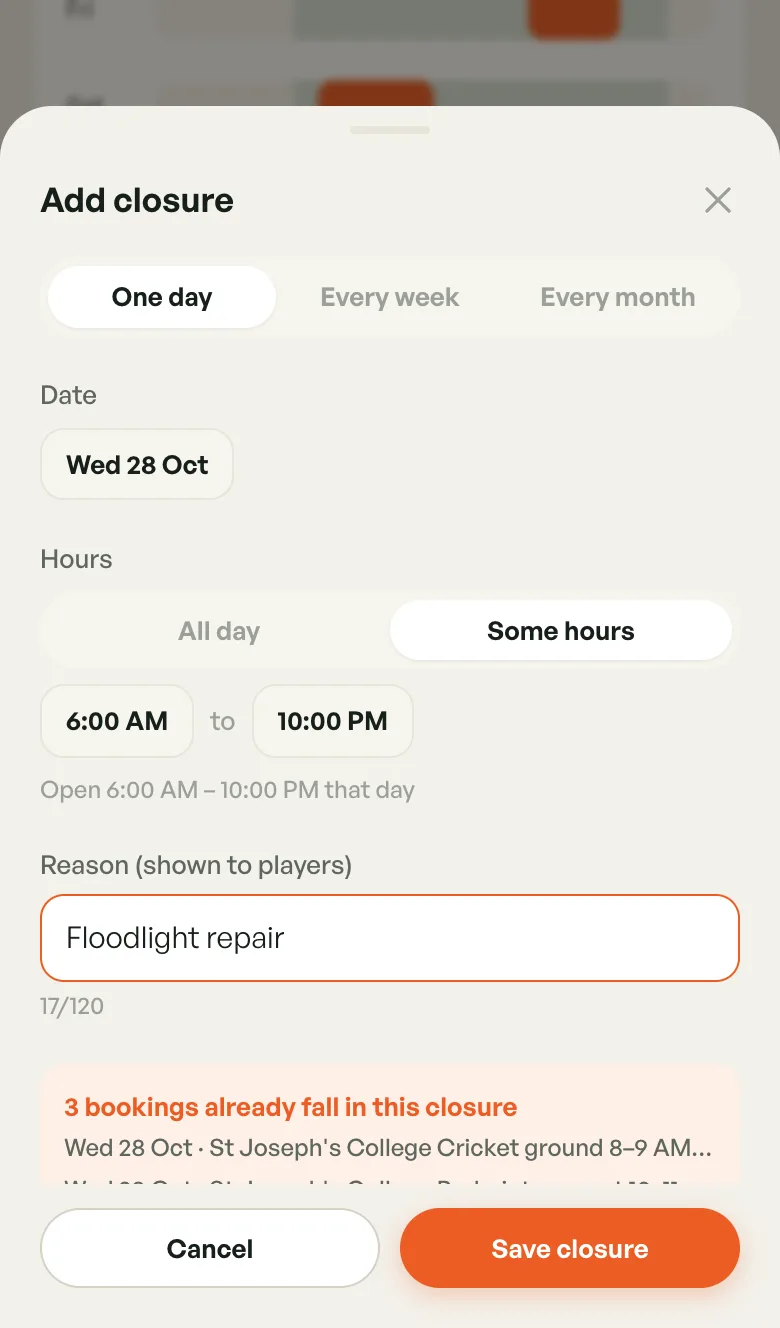
- Under Hours, choose All day or Some hours, then set From and To
- Optionally add a Reason (shown to players), up to 120 characters
- Tap Save closure
Bookings Already In A Closure
As you fill in the form, the app checks for bookings already made in those hours and lists them, for example 3 bookings already fall in this closure.
Those bookings are not cancelled. They stay booked, so contact the players if they need to move.
Editing Or Removing A Closure
Each closure shows its reason (or Closed) and when it applies, for example Every Monday · 6:00 – 8:00 AM.
- Tap the pencil to edit it
- Tap the bin and confirm Delete to remove it. Players can book those hours again.
One-day closures disappear from the list once their date has passed.
How Hours Affect Bookings
- Players are only offered times inside your open hours, outside closures
- A booking you make outside the open hours is refused: That time is outside the facility's opening hours
- A booking that falls in a closure is refused with the closure's date, times and reason
- Changing hours or adding a closure never cancels bookings already made — check the calendar and deal with them
On Desktop
The week sits on the left and the day editor stays open on the right. Click a day to edit it, and use Add closure at the top right.
Presets During Setup
During first-time setup you can start from a pattern instead of setting seven days by hand:
- Standard — Mon–Sun, 06:00 – 22:00
- Extended weekends — weekdays 06:00 – 22:00, weekends 06:00 – 23:00
- Evenings only — Mon–Sun, 16:00 – 22:00
- Custom hours — set each day yourself
A preset is only a shortcut. You can change any day afterwards in Manage hours.