Registration
Creating your BookMyCourt admin account.
Where To Register
Go to admin.bookmycourt.lk and choose Sign up. The admin console works in a desktop browser, on mobile web, and as an app on iOS and Android.
Step 1 — Choose Your Account Type
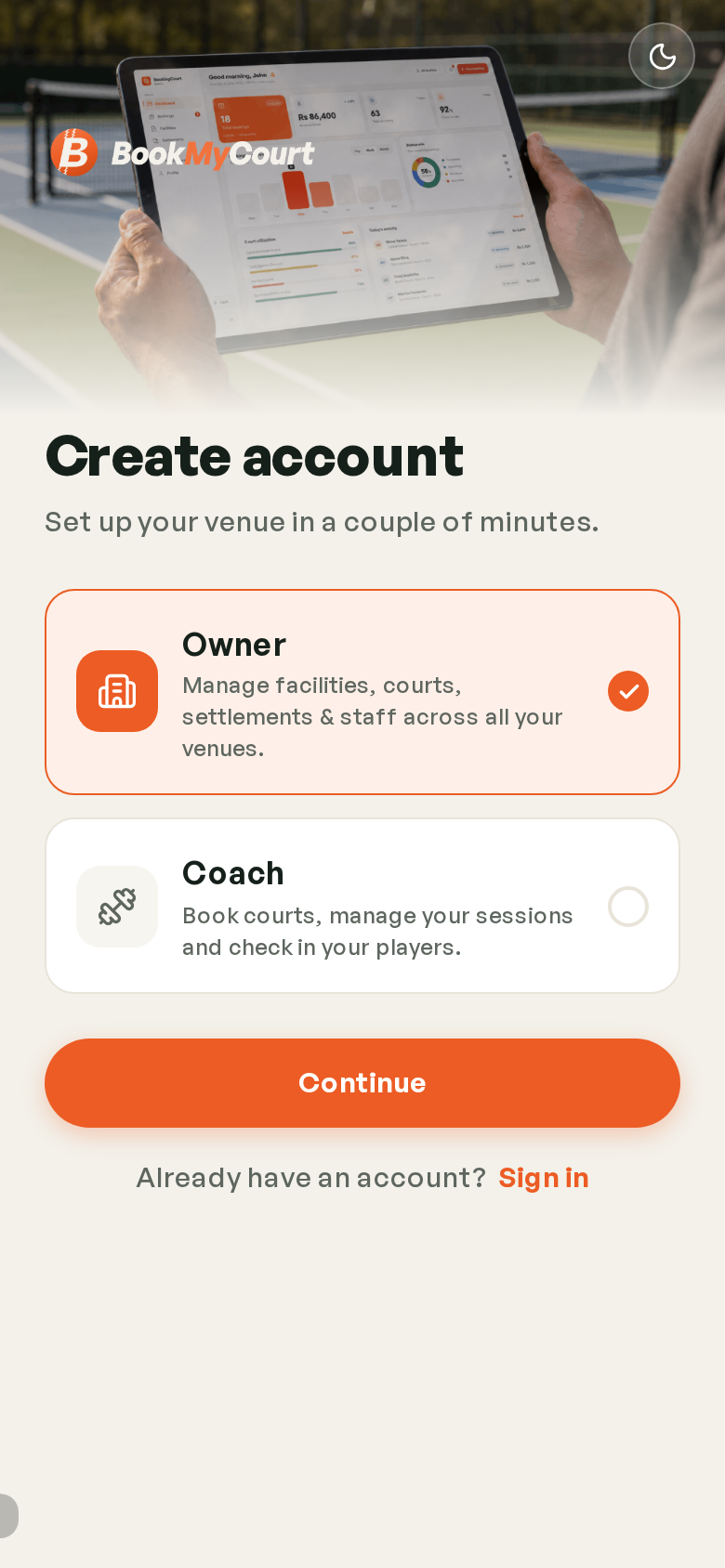
The first thing registration asks is what kind of account you want. Pick carefully — it decides which screens you get.
| Type | Description |
|---|---|
| Owner | Manage facilities, courts, settlements and staff across all your venues |
| Coach | Book courts, manage your sessions and check in your players |
Choose Owner if you run a venue. Choose Coach if you teach — and follow the Coach Guide from there.
Tap Continue.
Step 2 — Your Details
With Google Or Apple
Fastest route — Continue with Google. There's no password to set and no email code to wait for.
Continue with Apple appears on Apple devices. On Windows, Linux and Android you'll see Google and email only.
With An Email And Password
Otherwise, fill in the form:
| Field | Notes |
|---|---|
| Full name | Your name, not the venue's |
| Where your verification code goes | |
| Phone | Contact number |
| Password | And Confirm password to match |
You'll also need to accept the Terms and Privacy Policy.
Email Verification
Email sign-ups get a code by email. Enter it on the verification screen to activate the account.
Didn't arrive? Check spam, then request a new code from the same screen.
Next Steps
Once you're verified, sign in and the setup wizard takes you through getting your venue live.