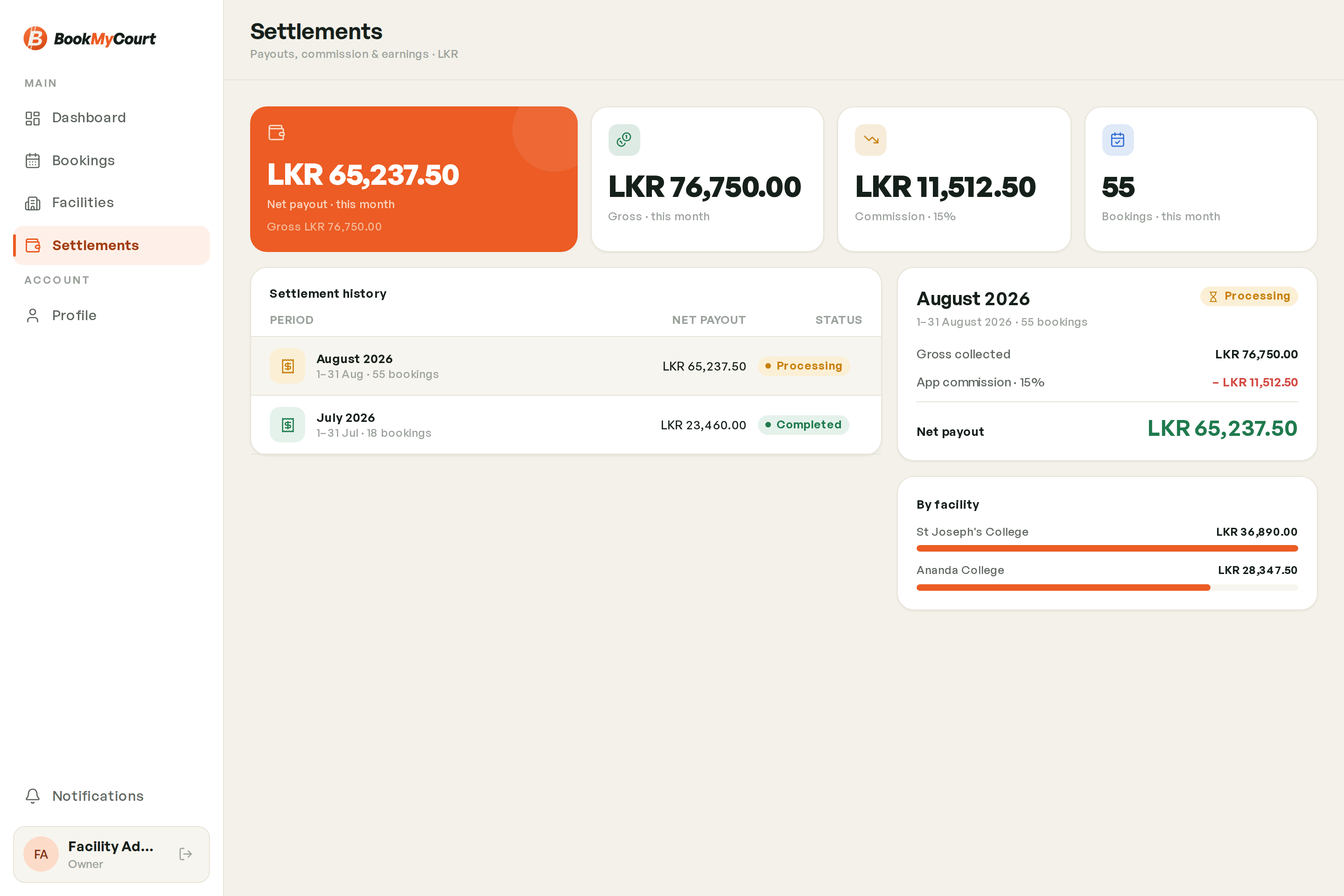
Settlements Overview
Settlements show, week by week, what BookMyCourt owes you for each facility and what it took in commission.
Finding it
Tap Payouts in the bottom bar. The screen is called Settlements, and on a computer it's Settlements in the sidebar.
Employees don't see Settlements.


How the money moves
Players pay in one of two ways. Which ones they're offered is set by BookMyCourt.
- By card in the player app. BookMyCourt collects the money and pays your share to you.
- At the venue (or a booking you add yourself that's already paid). You collect the money, so BookMyCourt has nothing to send you. It only charges its commission.
A settlement adds up one facility's week and works out the difference. Weeks run Monday to Sunday, Sri Lanka time. A booking counts in the week it's played (the week its slot ends), not the week it was made.
What BookMyCourt charges
- Commission: 3% of your share of every booking a player makes in the app, whether they pay by card or at the venue. The rate is saved on each booking, so a later change never rewrites a past week.
- Bookings you or your staff add carry no commission.
- Convenience fee — players paying by card pay a small fee on top. It goes to BookMyCourt and is never taken from your share.
What counts in a week
Your share of a booking is the court price after your own promo code, plus any court add-ons. BookMyCourt's own promo codes don't reduce your share.
- Cancelled bookings don't count.
- Card no-shows still pay you your share, with no commission.
- Pay-at-venue no-shows don't count, since you collected nothing.
- Pay-at-venue bookings count whether or not you've marked them paid.
- Very small card payments (under Rs 20) are covered by BookMyCourt, and you're still paid your share.
- Coach fees — when a player pays at the venue for a session with a coach, you collect the coach's fee (and any nets fee). It's taken off your payout so BookMyCourt can pass it on to the coach.
This week
The top of the screen shows the current week live. If you have more than one facility, each facility with activity this week gets its own card, named above it.
- Payout · this week — what you'll be paid for this facility so far. It changes as bookings come in.
- Card bookings — your share of bookings players paid by card.
- Commission — BookMyCourt's commission on this week's bookings.
- Bookings — how many bookings count this week.
If the payout includes an amount brought forward from an earlier week, it says Includes … carried. Tap the card to see the full breakdown.
Earlier weeks
Under Earlier weeks, each card is one facility's week: the dates, the facility, how many bookings, the payout and a status.
- In progress — the current week, still adding up.
- Being reviewed — the week has ended and BookMyCourt is checking it. Figures can still change.
- Ready to pay — checked and locked. Your payout is on its way.
- Paid — BookMyCourt has sent the transfer.
- Comes off next payout — the week ended below zero. That amount is taken off a later payout.
- Received — you paid BookMyCourt what a below-zero week owed.
- Carried to next week — a below-zero week that was taken off the next week's payout.
Once a week is locked, it never changes, even if a booking in it is cancelled later.
Tap any week to open its details. Pull down to refresh in the app. More weeks load as you scroll (on a computer, tap Load more).
When you get paid
Every night, BookMyCourt drafts the week that just ended (Being reviewed). A BookMyCourt admin then checks and locks it (Ready to pay, or Comes off next payout if it's below zero). The transfer is then made to the facility's payout account and the week turns Paid, with the date and the bank reference.
Weeks are locked in order, oldest first.
Reading the amounts
All amounts are in Sri Lankan rupees, e.g. LKR 1,899.50.
- A payout below zero has a minus sign, e.g. -LKR 60.00.
- In a week's details, the payout is green when it's money coming to you and red when it's below zero. Commission and other deductions are red, with a minus sign.
- On the this-week card, Commission is shown as a plain amount in amber, without a minus.
Getting paid
Payouts go to the bank account picked for each facility. See Payout Bank Account.