Settlement Details
Open any week to see exactly how its payout was worked out, booking by booking.
Opening a week
- Tap Payouts in the bottom bar.
- Tap this week's payout card, or any week under Earlier weeks.
On a phone the details slide up from the bottom. Tap outside them to close. On a computer they show in a panel beside the list.
The header
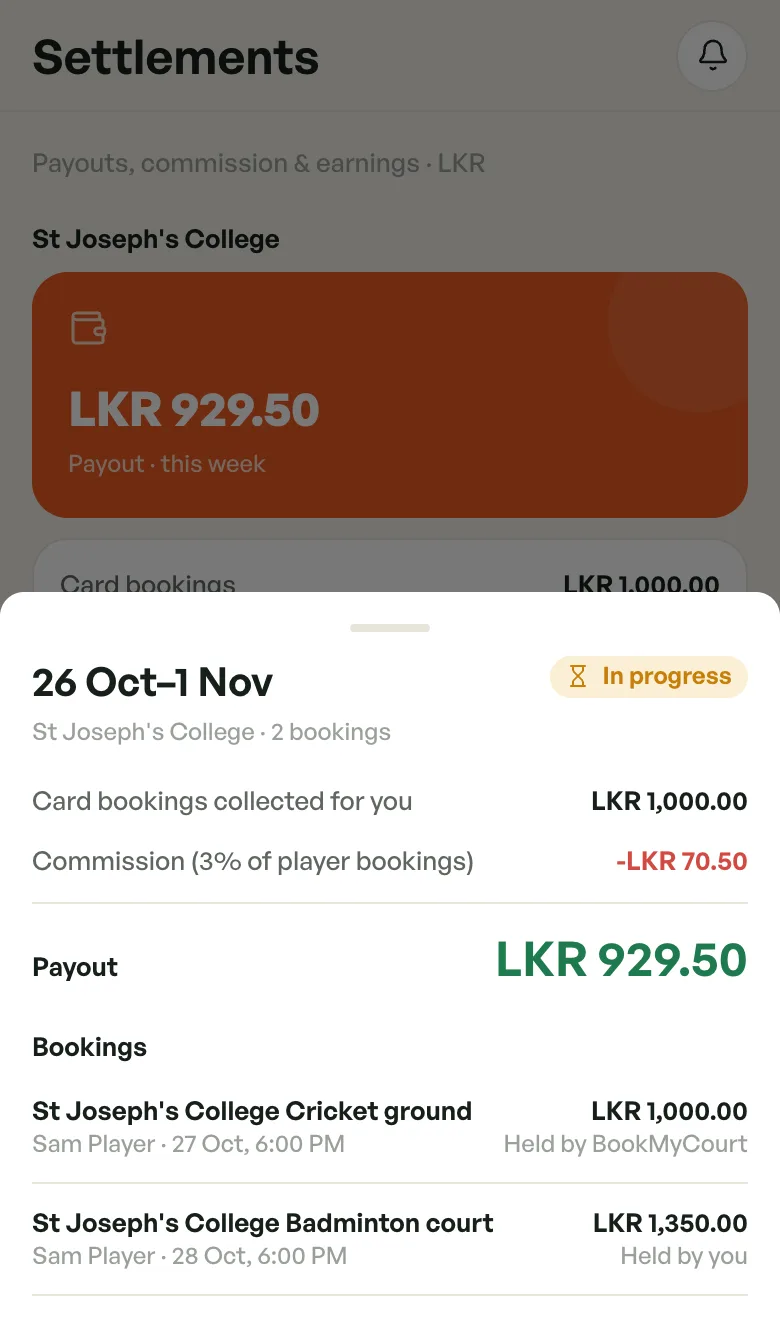
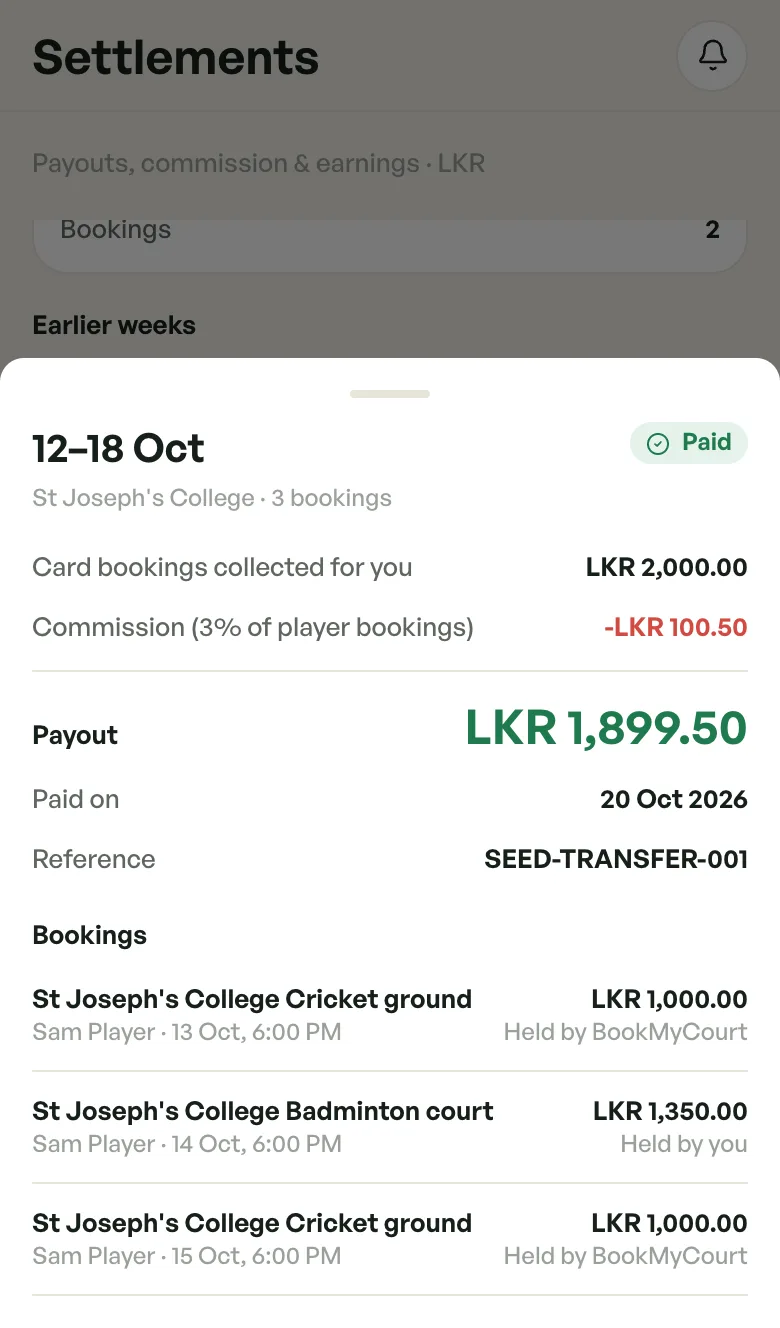
- The dates of the week, e.g. 12–18 Oct.
- The status badge, e.g. In progress, Being reviewed or Paid. See what each status means.
- The facility and how many bookings count that week.
The breakdown
Read it top to bottom. Each line adds to or takes from your payout.
- Card bookings collected for you — your share of the bookings players paid by card. BookMyCourt holds this money for you.
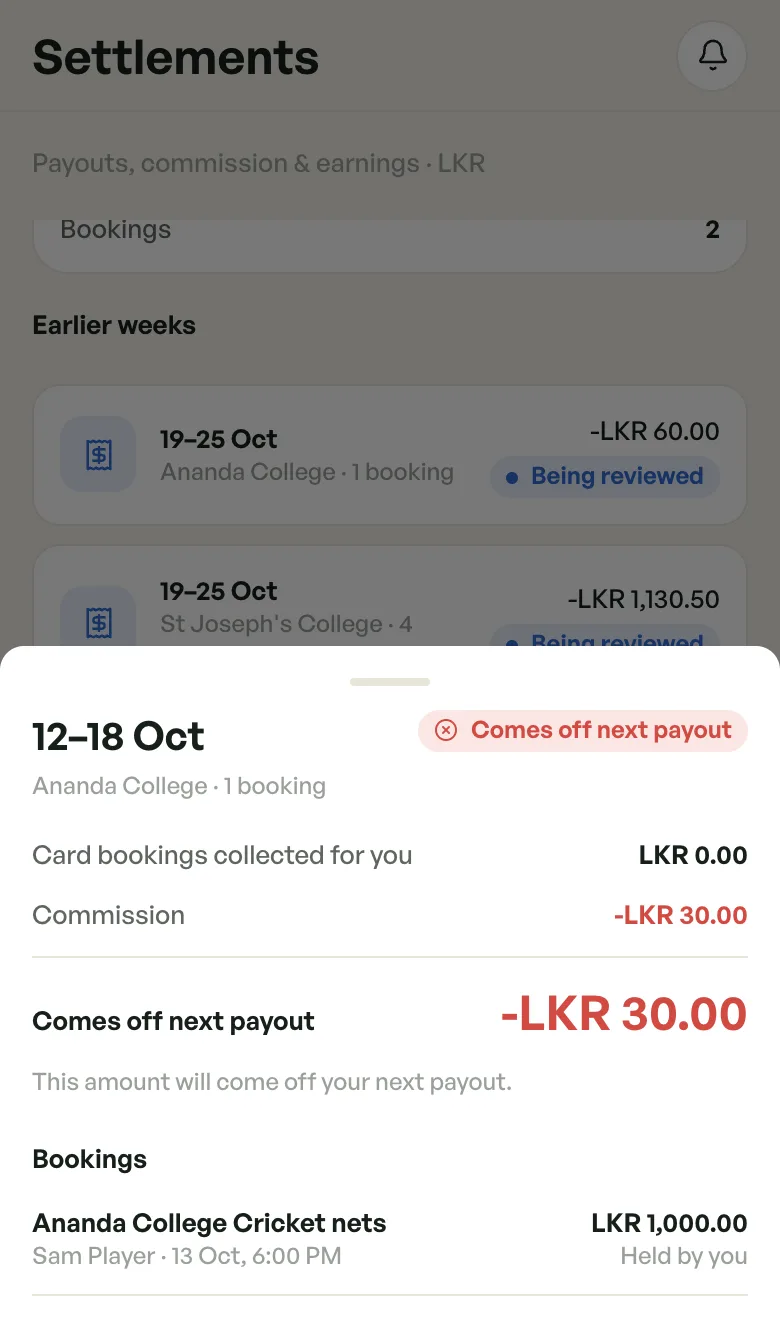
- Commission (3% of player bookings) — BookMyCourt's commission, in red. It's charged on player bookings paid by card and at the venue. When the week has no card bookings, or its bookings were charged different rates, the line just says Commission.
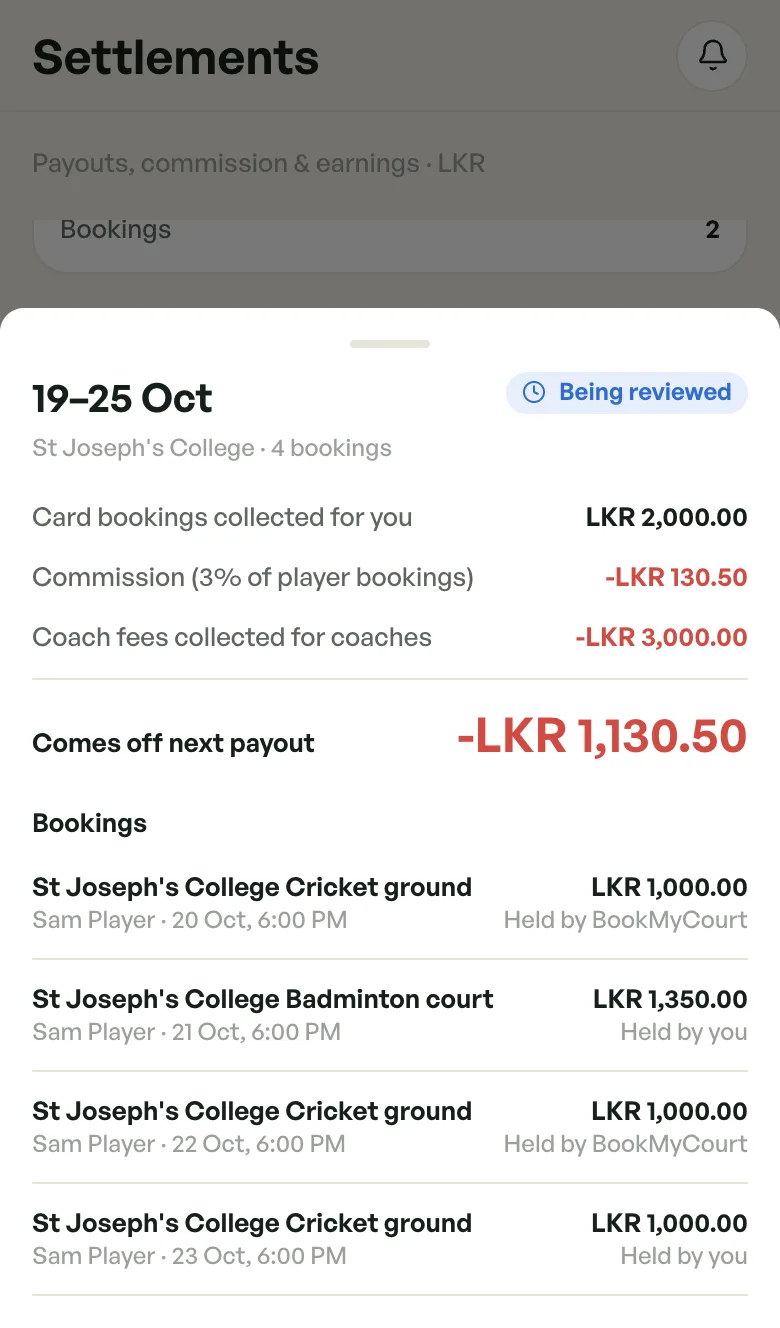
- Coach fees collected for coaches — only when you collected a coach's fee (and any nets fee) at the venue. It's taken off so BookMyCourt can pass it on to the coach.
- Carried from last week — only when an earlier week ended below zero and is being taken off this one.
The figure under the line is the result:
- Payout (green) — what BookMyCourt pays you.
- Comes off next payout (red, with a minus) — the week is below zero. Once the week is locked it also says This amount will come off your next payout.
- Received — you've paid BookMyCourt what the week owed.
- Carried to next week — the amount was moved into the next week.
Once a week is Paid (or Received), you also see Paid on (or Received on) and the bank Reference.
Why a week can be below zero
A week goes below zero when BookMyCourt is owed more than it holds for you. That happens when most bookings were paid at the venue (you kept the money, but commission is still due), or when you collected coach fees.
Nothing is lost. The amount is taken off a later payout.
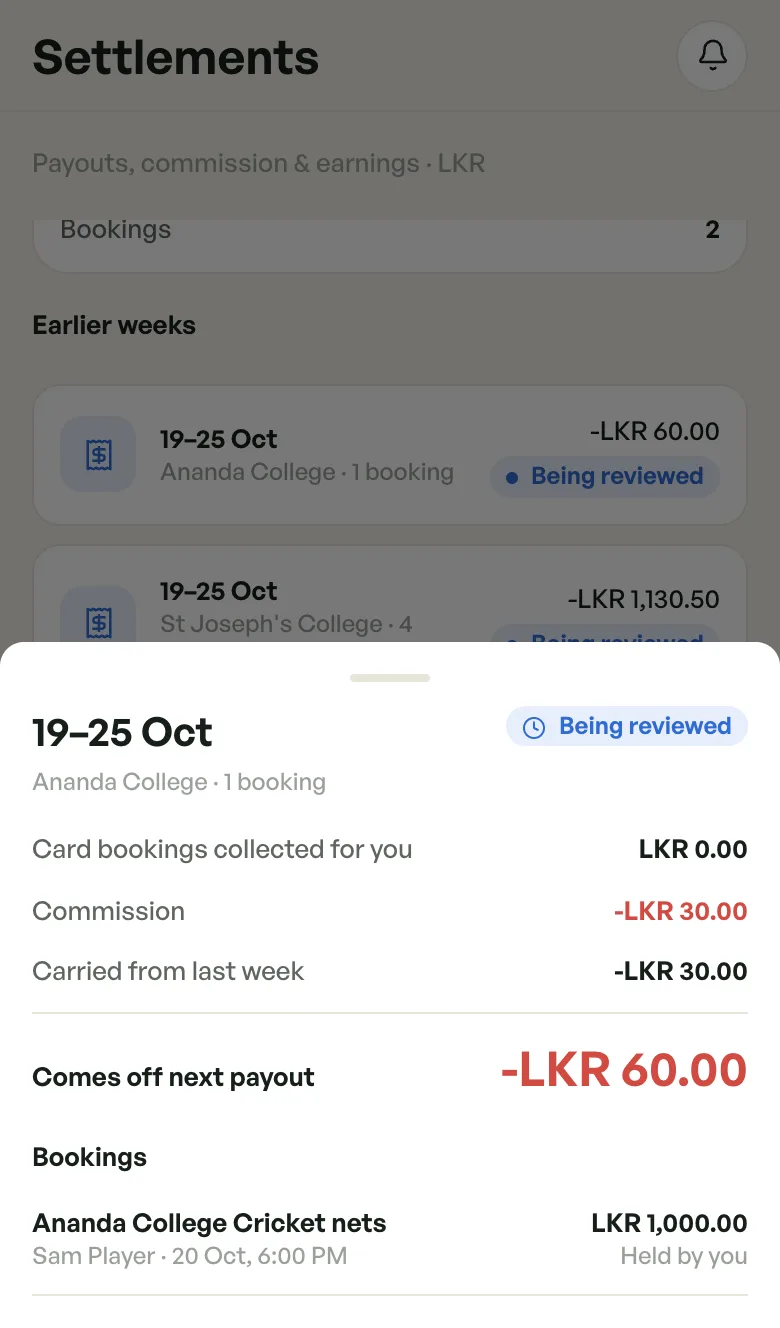
The bookings list
Under Bookings, every booking that counts that week is listed:
- The space, e.g. St Joseph's College Cricket ground.
- The player and when it was played, e.g. Sam Player · 20 Oct, 6:00 PM (Sri Lanka time).
- Your share of that booking.
- Who holds the money. Held by BookMyCourt means the player paid by card. Held by you means it was paid at the venue.
Cancelled bookings and pay-at-venue no-shows aren't listed, because they don't count. See what counts in a week.
Does a week change?
- In progress and Being reviewed weeks update as bookings change.
- Once BookMyCourt locks it (Ready to pay, or Comes off next payout for a week below zero), the week is locked. Its figures and bookings never change, even if a booking is cancelled later.